Scalable Self-Hosted GitHub Runners on AWS Cloud
For an initial “shake-down” test of the infrastructure, we can leverage off the code in the Github repository for creating a docker action.
- Create a repository:
- Repository name: self-hosted-runner-testing
- Github organization (e.g. foo-organisation)
Add the following files to the repository:
Dockerfile
# Container image that runs your code
FROM alpine:3.10

# Copies your code file from your action repository to the filesystem path `/` of the container
COPY entrypoint.sh /entrypoint.sh
RUN chmod +x /entrypoint.sh

# Code file to execute when the docker container starts up (`entrypoint.sh`)
ENTRYPOINT ["/entrypoint.sh"]
entrypoint.sh
#!/bin/sh -l

echo "Hello $1"
time=$(date)
echo "time=$time" >> $GITHUB_OUTPUT
action.yml
# action.yml
name: 'Hello World'
description: 'Greet someone and record the time'
inputs:
  who-to-greet:  # id of input
    description: 'Who to greet'
    required: true
    default: 'World'
outputs:
  time: # id of output
    description: 'The time we greeted you'
runs:
  using: 'docker'
  image: 'Dockerfile'
  args:
    - ${{ inputs.who-to-greet }}
.github/workflows/main.yml
name: docker_in_docker_action_test

# Refer to tutorial on creating a container action: https://docs.github.com/en/actions/creating-actions/creating-a-docker-container-action

on: [push, workflow_dispatch]

jobs:
  hello_world_job:
    name: A job to say hello
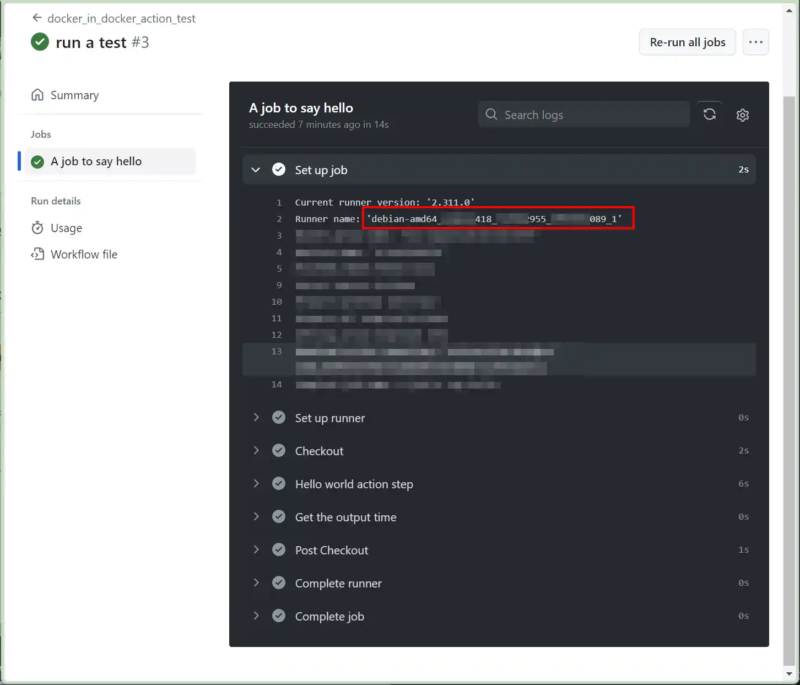
    runs-on: "debian-amd64_${{ github.repository_owner_id }}_${{ github.repository_id }}_${{ github.run_id }}_${{ github.run_attempt }}"
    steps:
      # To use this repository's private action,
      # you must check out the repository
      - name: Checkout
        uses: actions/checkout@v4
      - name: Hello world action step
        uses: ./ # Uses an action in the root directory
        id: hello
        with:
          who-to-greet: 'Mona the Octocat'
      # Use the output from the `hello` step
      - name: Get the output time
        run: echo "The time was ${{ steps.hello.outputs.time }}"
.github/workflows/run_a_command.yml
name: run_a_command

on: [push]

jobs:
  run_sleep:
    runs-on: "debian-amd64_${{ github.repository_owner_id }}_${{ github.repository_id }}_${{ github.run_id }}_${{ github.run_attempt }}"
    steps:
    - name: sleept_for_60
      run: |
        sleep 60
        echo done sleeping
README.md
# Hello world docker action

This action prints "Hello World" or "Hello" + the name of a person to greet to the log.

## Inputs

## `who-to-greet`

**Required** The name of the person to greet. Default `"World"`.

## Outputs

## `time`

The time we greeted you.

## Example usage

uses: ./
with:
who-to-greet: 'Mona the Octocat'- Key point to note is the naming convention of the self-hosted runner(s) within each workflow definition (*.yml):
...
...
jobs:
  ...
    ...
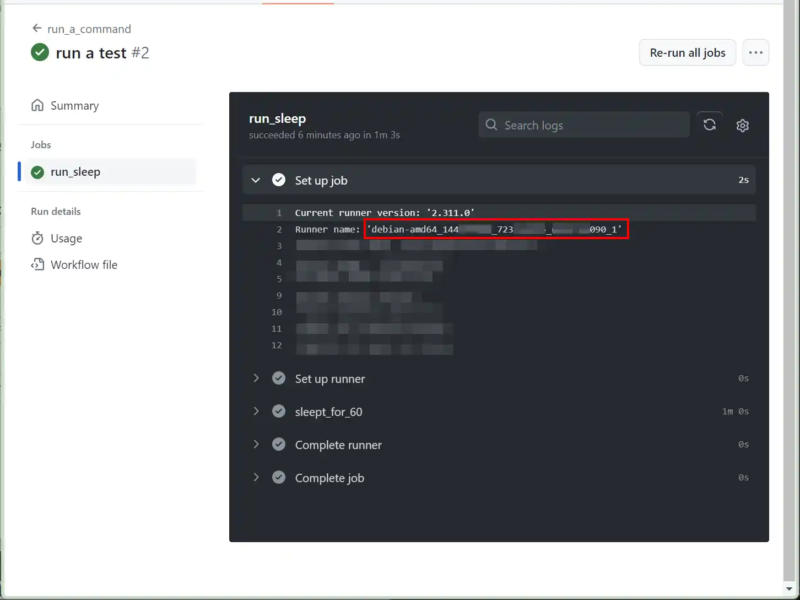
    runs-on: "debian-amd64_${{ github.repository_owner_id }}_${{ github.repository_id }}_${{ github.run_id }}_${{ github.run_attempt }}"
...- commit and push changes
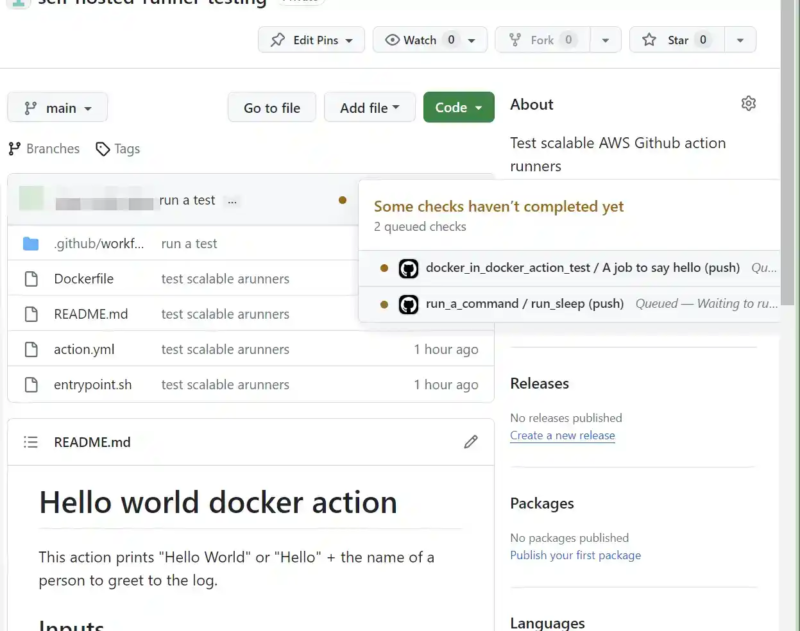
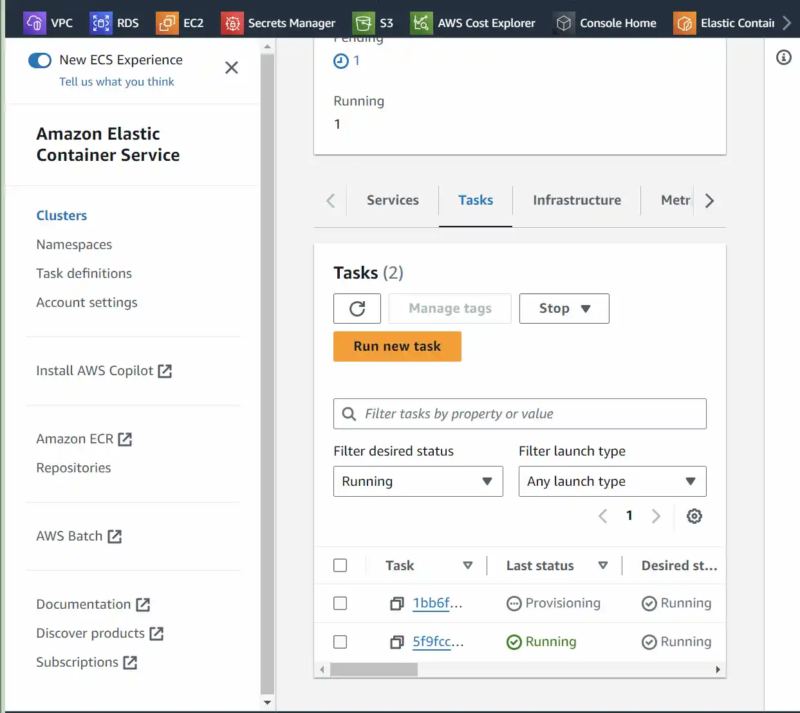
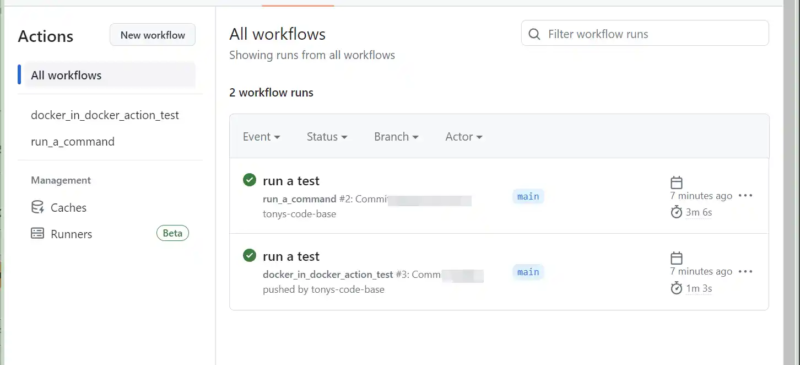
This should trigger two workflows, each containing a single job. The jobs should cause ECS to trigger two runner containers to execute the workflows.