Scalable Self-Hosted GitHub Runners on AWS Cloud
The docker container entrypoint script executes a start-up command to register the runner to an GitHub Enterprise/Organization/Repository using a Classic Personal Access Token (PAT) which has been assigned the required access privileges.
For the following examples, the assumption is that a PAT is being generated by an administrator of an organization named foo-organisation, i.e, the GitHub URL for the org is would be: https://github.com/foo-organisation.
Generating a PAT
- Login to Github using an account with administrator privileges to
foo-organisation - Navigate to
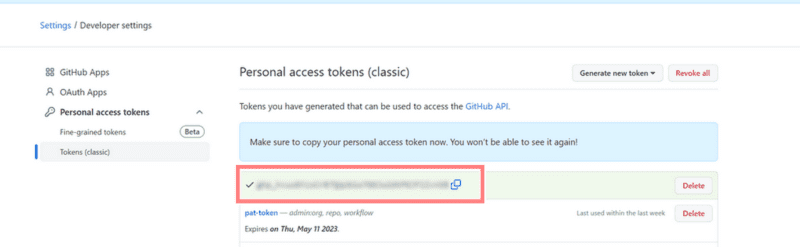
Settings -> Developer Settings --> Personal access tokens --> Tokens (classic) - Select
Generate new token (classic) - Enter a description for the
Noteinput box - Ensure the scope
admin:orgis selected
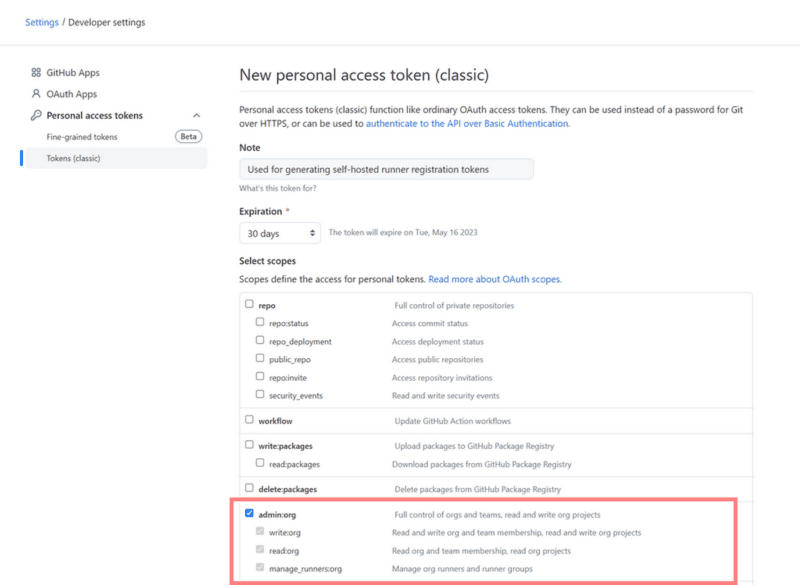
- Finally, click on
Generate token - Note down the token and/or store in a secure location (device encrypted at rest)